

We live in an increasing age of technology; from integration in schools, at home, and in the workplace, technology is no longer just a source of mindless games and entertainment. In fact, there are several proven apps that help support the needs of children with autism.
Benefits of apps:
- Relevant learning tool
- Increases social development
- Practice and master skills
- Provides useful visual support
- Useful tools to increase and practice communication
Check out these expert-recommended apps for the iPhone and iPads to find what works for your child.
iPrompts:
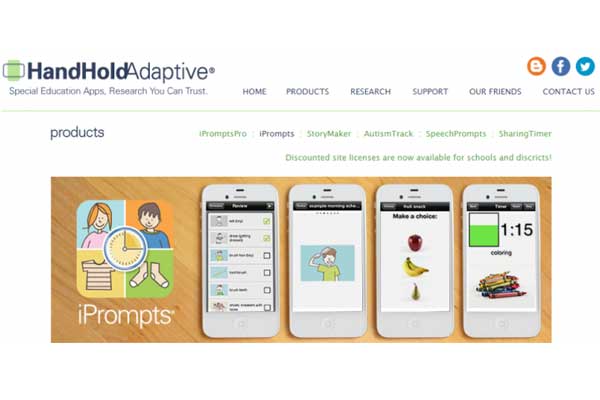
“iPrompts® includes several easy-to-use, visual prompting templates to help individuals transition from one activity to the next, understand upcoming events, make choices, and focus on the task at hand.
No need to spend hours creating image cards by printing, cutting, and laminating
No bulky or stigmatizing binders or strips of images
Store thousands of images in your pocket
Add your own pictures to the hundreds of stock images included within
iPrompts®
Electronically backlit images are bright and visible any time of day or night Paperless and environmentally friendly.”
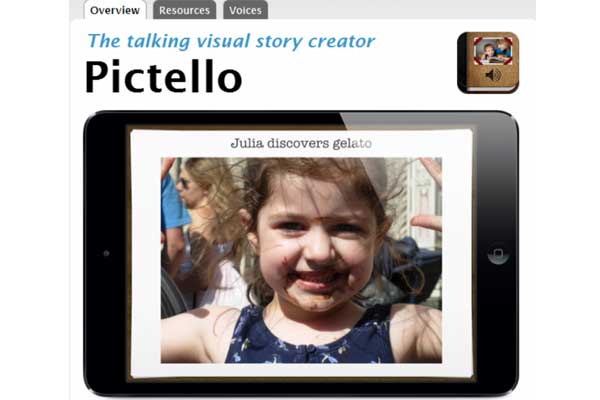
“An easy way to create, playback, and share visual stories and talking books.” Users will develop reading, writing, and spelling skills while building confidence in communication.
Features:
- Use the wizard function to create stories of your own
- Play a slideshow of your creation
- Integrate multimedia by adding your own photos and video clips
- Share your stories with other users
“Cognoa is a consumer healthcare company that’s changing how parents assess and support their child’s development. Already one of the largest screeners of children’s development, Cognoa gives parents peace of mind by identifying where a child is on track and what parents can do to help the child improve.”

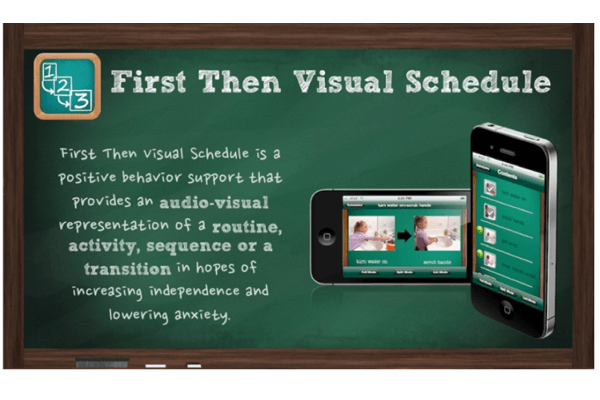
“First-Then visual schedule is an affordable user-friendly mobile application designed for caregivers to provide positive behavior support through the use of visual schedules. First-Then was designed for individuals with communication needs, developmental delays, autism spectrum disorders, or anyone who would benefit from a structured environment.”
Your child will learn to sort his or her feelings and emotions with this interactive app. Watch as they have fun while learning how facial expressions tell us what someone is feeling and how to identify and express those emotions. This customizable game will meet the needs of your child’s development and learning styles.

As you already know, technology, phones, and iPads can be excellent sources of learning, development, and information but can also become a somewhat addictive habit. Be sure to monitor computer time and create clear time limits and rules your child understands. Reinforce these apps with breaks and other methods of learning that do not utilize technology to create a balance. Encourage your child to bring these skills to the outside world and to practice them in real social settings to see how these apps can pay off in real life.
What apps do you use? Have you created rules for using technology? Share your tips, apps, rules, and experiences below.